
The Knowa platform
Explore the platform.
See how it connects.
Knowledge, collaboration, governance tools and meetings, built around one connected record. Explore how the parts work together for your organisation.
← Back to the product tourKnowledge & AI
Find the information behind the decision.
Documents, policies, past decisions and the reasons behind them are part of the same story. Smart Vault and Knowa Q help your team keep that knowledge and put it to use.
Smart Vault
Keep documents, versions and supporting material in a shared record, with access set for the people who need it. A change in personnel does not have to mean losing the history.
Knowa Q
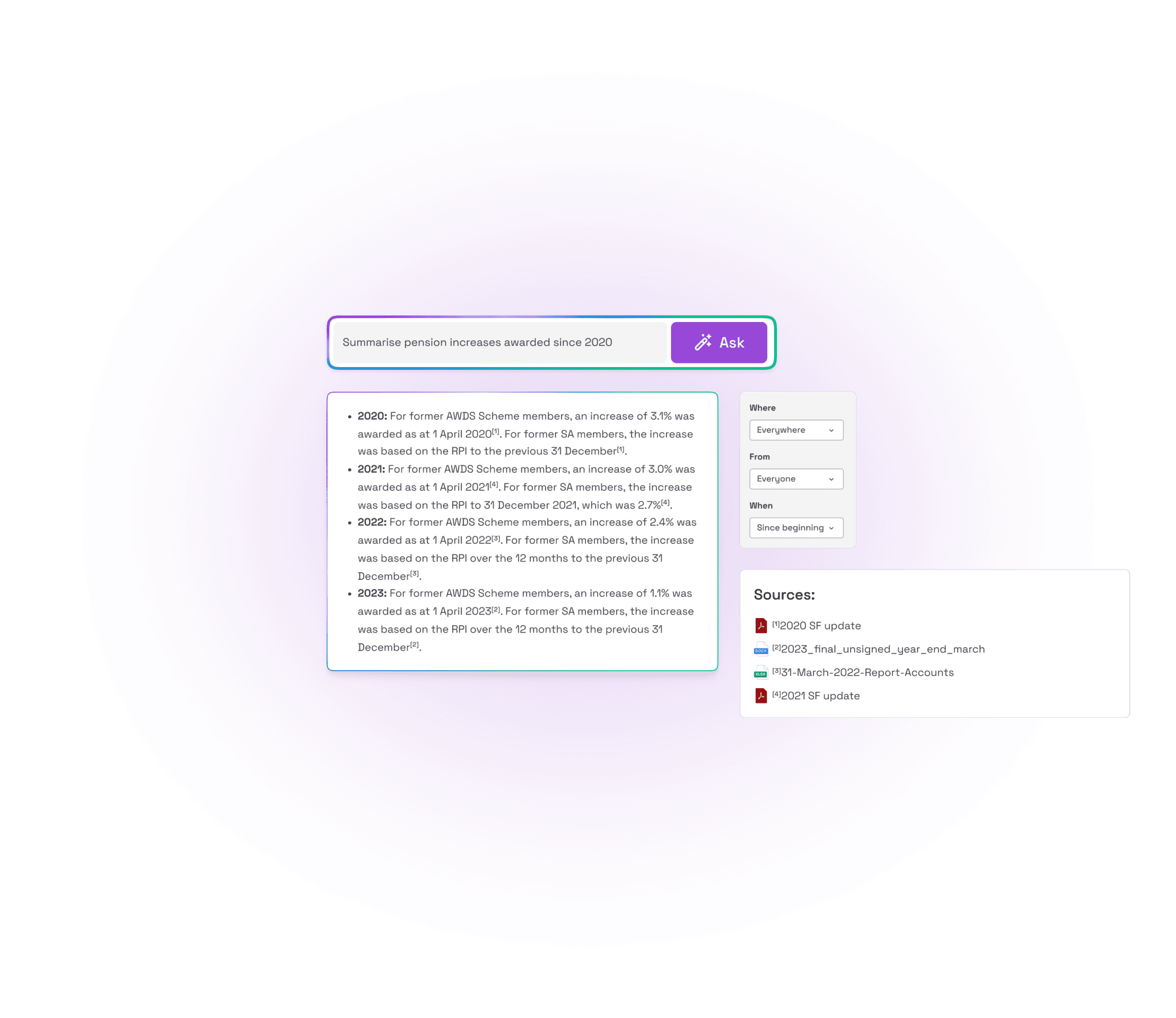
Ask a question across the documents, discussions and decisions in your record. Follow the source references to check the answer and read the original context.
In practice
Why did we make that decision, and which documents did we consider?
Keep the answer with its sources, then use it in a discussion, review or decision.
Collaboration
Bring people together around the work.
Give boards, committees, working groups and advisers a shared place to discuss the work. Keep the conversation beside the material it concerns.
Shared spaces
Set up spaces for the groups you work with, and manage who can access each one. People can contribute to their own work without every group sharing the same information.
Discussion, votes and approvals
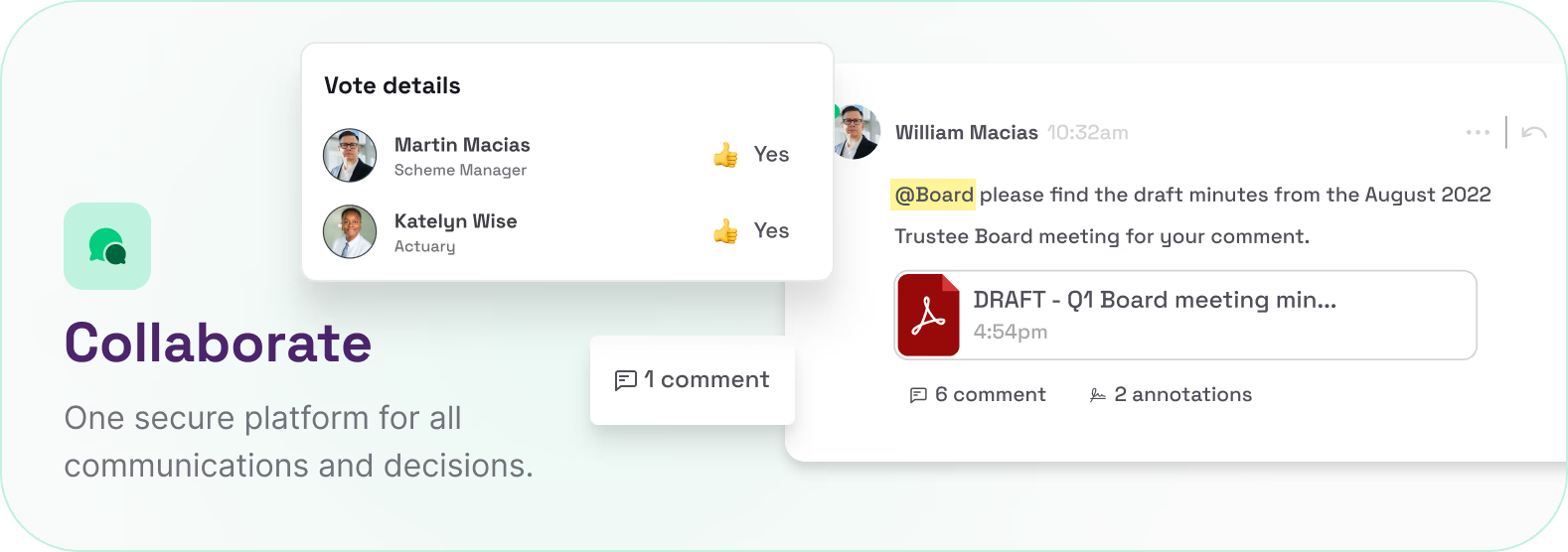
Comment on a document, ask colleagues for input and record a vote or approval. Keep the discussion and outcome together so someone joining later can follow what happened.
In practice
Ask colleagues and advisers to review a policy, discuss the changes and record the approval.
The discussion becomes part of the context behind the decision, available for the next review.
Governance tools
Manage the responsibilities around each decision.
Keep risk reviews, conflicts, training and open actions connected to the wider record.
Registers and reviews
Record risks, owners and review dates. Keep declarations of interest and their reviews in a conflicts register, with supporting evidence close at hand.
Training and CPD
Keep learning records and the material that supports them together. Review what has been completed and what needs attention.
Actions and accountability
Give actions an owner and due date, then review their progress alongside the discussion and documents that explain the work.
Connected governance tools
- Risk registerAssessments, owners and review dates
- Conflicts registerDeclarations and review records
- Action trackerActions, owners and progress
- Training & CPDLearning records and supporting evidence
Keep each tool connected to the supporting record.
In practice
Review a risk, assign a follow-up action and keep the supporting evidence with the record.
Choose the modules that fit your organisation. Your team reviews the evidence and decides what action to take.
Meetings & actions
Carry the work through the meeting and beyond.
Meeting preparation, the discussion and the follow-up all belong to the same record. Meeting Flow, Knowa Verse and Action Tracker help keep them connected.
Meeting Flow
Build the agenda and bring the papers together. Share the material so people can read, annotate and prepare before the meeting.
Knowa Verse
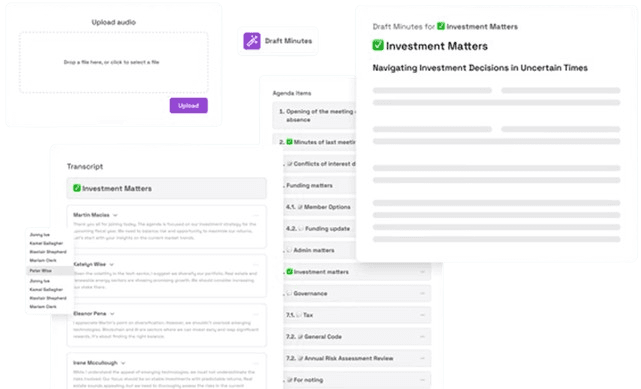
Use AI to prepare draft minutes from the meeting. The people responsible review the wording, decisions and actions before approving the record.
Action Tracker
Keep agreed actions with their owners, due dates and supporting context. Review progress between meetings and bring open items into the next discussion.
In practice
Review the draft minutes, agree the next steps and check progress before the next meeting.
The next meeting starts with the previous decisions and open actions in reach.
White-glove onboarding
Around 30 minutes to set up.
Operational on day one.
We handle setup with you, help bring across your documents and show your team how to get started. You have a working space on day one, with a real person supporting you.
You bring the essentials
Tell us who needs access, their roles and what you want to work on first. Bring the documents for your next meeting or review.
We get you set up
Your Knowa contact sets up your space with you, helps import the initial documents and configures permissions for your team.
Your team gets to work
A short walkthrough covers finding documents, sharing a discussion and recording an action. You can start preparing your first meeting that day.
Several boards or an advisory firm? Start with your first working space, then roll out the remaining organisations with a managed migration and training plan. Historic records can move across in stages while your team is already using Knowa.
See how it works for your team.
Explore the parts of Knowa that support your day-to-day work.
Book a demoSee who it’s for →